
 create new ticket
 check ticket status
Tax Types
Settings > Accounting > Financial > Taxes
Tax Types define the name and rate applied to a quote or order. Once created, a Tax Type can be assigned at the Customer, Contact, or Customer Defaults level, see below.
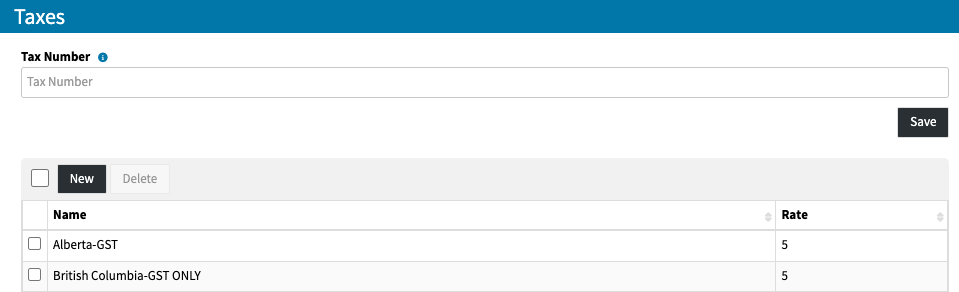
Create a Tax Type
- From the taxes table click New
- Enter the Name and Rate (%) of the tax type
- Click Save
Edit a Tax Type
- From the taxes table click on the Name of the tax you wish to edit
- Make the revisions to the Name and or Rate (%)
- Click Save
Delete a Tax Type
- From the taxes table check the box to the left of the Tax type you wish to delete
- Click Delete
- Click Ok to confirm
Once your Taxes are created they can be assigned in the following locations;
Customer - Learn more about Customer Taxes
Contact - Learn more about Contact Taxes
Customer Defaults - Learn more about Customer Default Taxes