
 create new ticket
 check ticket status
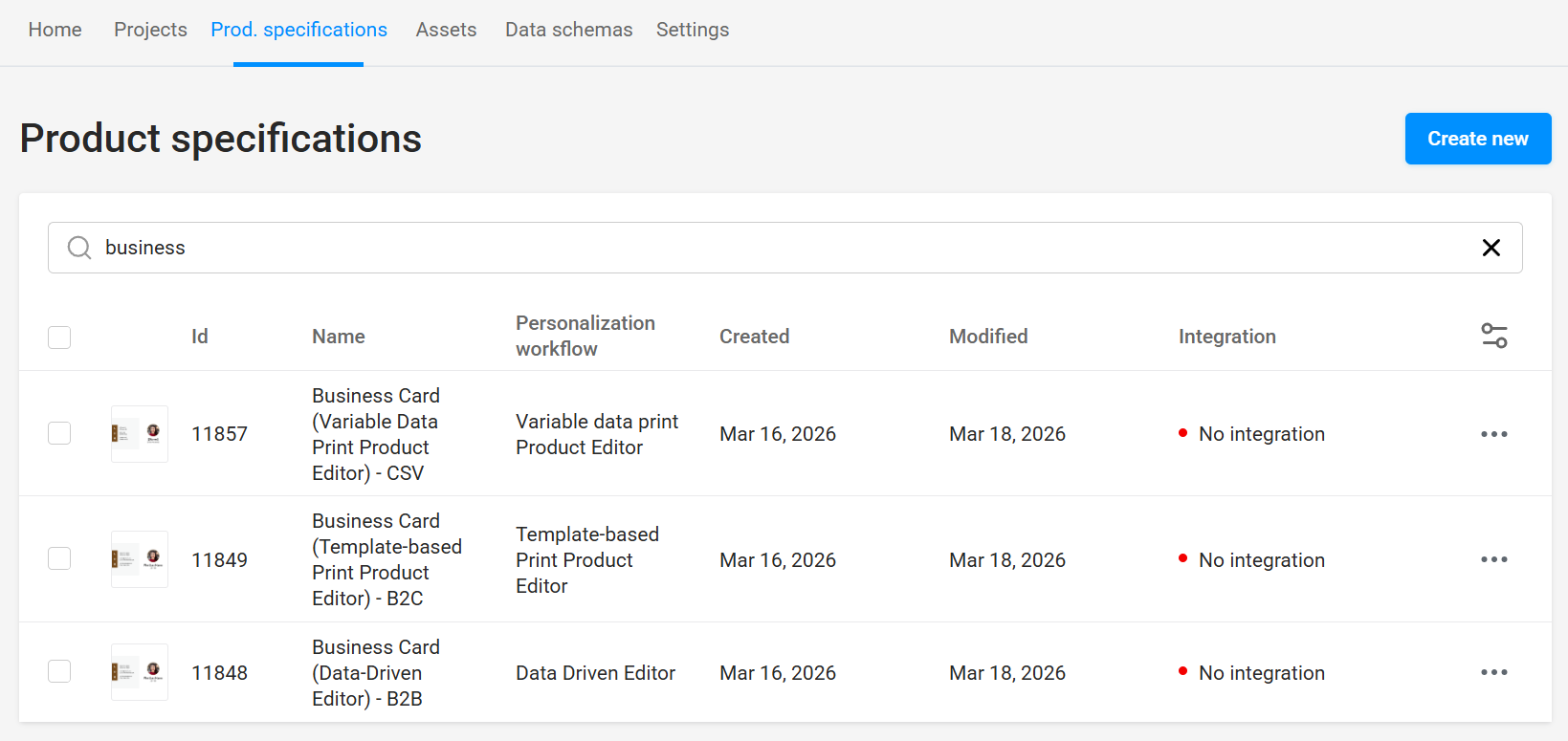
Product Specifications is a list of all your Product Template Configurations that define the Editor Product Type, associate with a Design, optional Mockups and a Data Set, then are linked to your Online Ordering > Products.
Online Ordering > Variable Templates New > Prod. Specifications > Create New
GENERAL
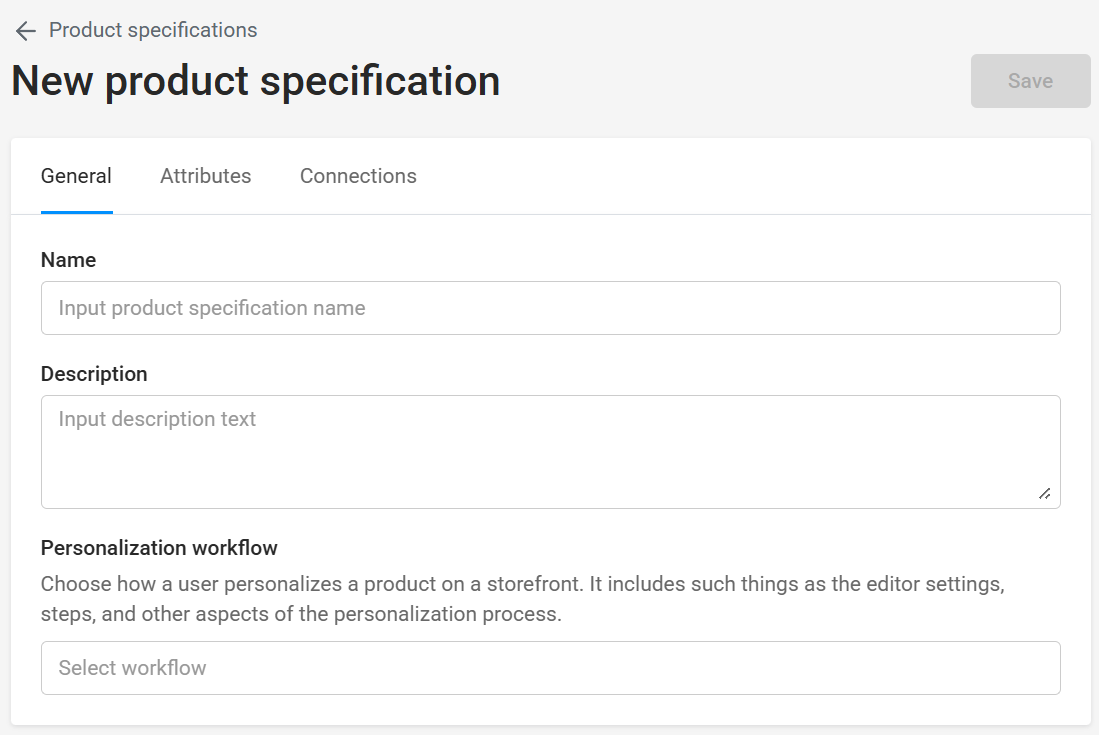
Name
Name your Product Template Specification. A good practice is CustomerName_ProductName.
Description
Optional for internal informational purposes only.
Personalization Workflow
Select from the following 4 Editor Product Types:
Blank Print Product Editor
This is simply a blank canvas where users start from scratch and add text, images, backgrounds, and artwork.
Data-Driven Editor (B2B Product Templates)
This editor allows you to restrict your customer's users to a product template built specifically with their brand in mind. Maintain branding consistency between orders by defining design elements, field placement, and content formatting.
Template-Based Print Product Editor (B2C Product Templates)
This editor allows you to set up less restrictive product templates that let the end user format fields to their specific needs. This approach works well for gifts and promotional products but can also be set up for other printed products with simple designs that don't require the help of a professional designer.
Variable Data Print Product Editor (CSV Product Template)
This editor allows the end user to upload a spreadsheet to populate the available fields of a design to generate multiple versions rapidly. Utilized by power users of a customer, to generate business cards, name tags, price tags, or labels.
ATTRIBUTES
Blank Print Product Editor Attributes
- Width - Choose a width of the final product (without bleeds).
- Height - Choose a height of the final product (without bleeds).
- Bleed - Choose the size of the bleed zone.
- Number of Pages - Specify how many pages (or sides) the product should have initially.
- Preview Mockup File - Optionally select a preview mockup file from the Assets > Images > Mockups folder to provide customers with a realistic mockup preview for the product they are customizing.
- Clipart Gallery - Optionally choose a folder for users to add images from to their designs.
- Backgrounds - Optionally choose a product size specific folder for users to add backgrounds from to their designs.
- Output Print File Resolution - Specify the product resolution in DPI, typically 300 for commercial printing.
- Download PDF - Allow users to download a Hi-Res PDF Only, Proof PDF Only, or None.
- Add watermark to proof images - Applies a "PROOF" watermark to PDF Proof Only file downloads, and previews.
Data-Driven Editor Attributes
- Design - Choose a design to associate with this product.
- Data Set - Optionally choose a data set to provide the user with prefill options of values that will populate specific schema fields.
- Editor Mockup - Optionally visualize the design onto a non-printable Image Underlay. Supporting JPEG, PSD, & PNG file types.
- Mockup Overlay - Optionally visualize non-printable elements overtop of the design. Supporting JPEG, PSD, PNG, & SVG file types.
- Preview Mockup File - Optionally select a preview mockup file from the Assets > Images > Mockups folder to provide customers with a realistic mockup preview for the product they are customizing.
- Download PDF - Allow users to download a Hi-Res PDF Only, Proof PDF Only, or None.
- Add watermark to proof images - Applies a "PROOF" watermark to PDF Proof Only file downloads, and previews.
- Enable Insert Symbols - Allow users to insert additional symbols into field content.
Template-Based Print Product Editor Attributes
- Design - Choose a design to associate with this product.
- Preview Mockup File - Optionally select a preview mockup file from the Assets > Images > Mockups folder to provide customers with a realistic mockup preview for the product they are customizing.
- Clipart Gallery - Optionally choose a folder for users to add images from to their designs.
- Backgrounds - Optionally choose a product size specific folder for users to add backgrounds from to their designs.
- Output Print File Resolution - Specify the product resolution in DPI, typically 300 for commercial printing.
- Download PDF - Allow users to download a Hi-Res PDF Only, Proof PDF Only, or None.
- Change Design Layout - Allows users to freely move, resize, and reformat fields.
- Add watermark to proof images - Applies a "PROOF" watermark to PDF Proof Only file downloads, and previews.
Variable Data Print Product Editor Attributes
- Design - Choose a design to associate with this product.
- Clipart Gallery - Optionally choose a folder for users to add images from to their designs.
- Backgrounds - Optionally choose a product size specific folder for users to add backgrounds from to their designs.
- Output Print File Resolution - Specify the product resolution in DPI, typically 300 for commercial printing.
- Change Design Layout - Allows users to freely move, resize, and reformat fields.
- Download PDF - Allow users to download a Hi-Res PDF Only, Proof PDF Only, or None.
- Add watermark to proof images - Applies a "PROOF" watermark to PDF Proof Only file downloads, and previews.
CONNECTIONS
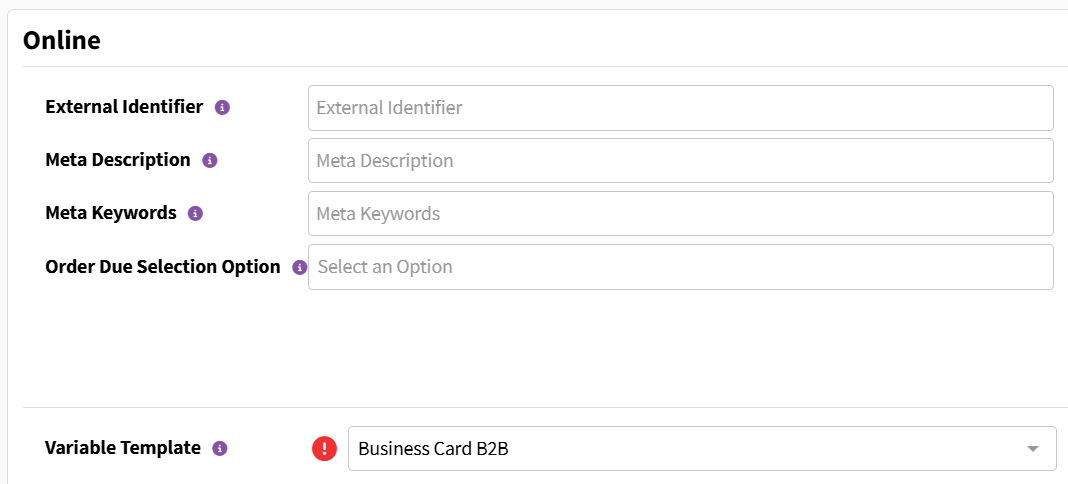
Establish a connection between your Product Specification and your W2P Online Ordering Product at:
Online Ordering > Products > Edit Product > Online Block > Variable Template Dropdown
Try creating a Variable Product Template with a guided process: