
 create new ticket
 check ticket status
Important: For best results, ensure your computer is not under heavy load and has sufficient available memory and disk space, as limited system resources can significantly impact web application performance.
Quick Navigation
System Resource Check (Recommended)
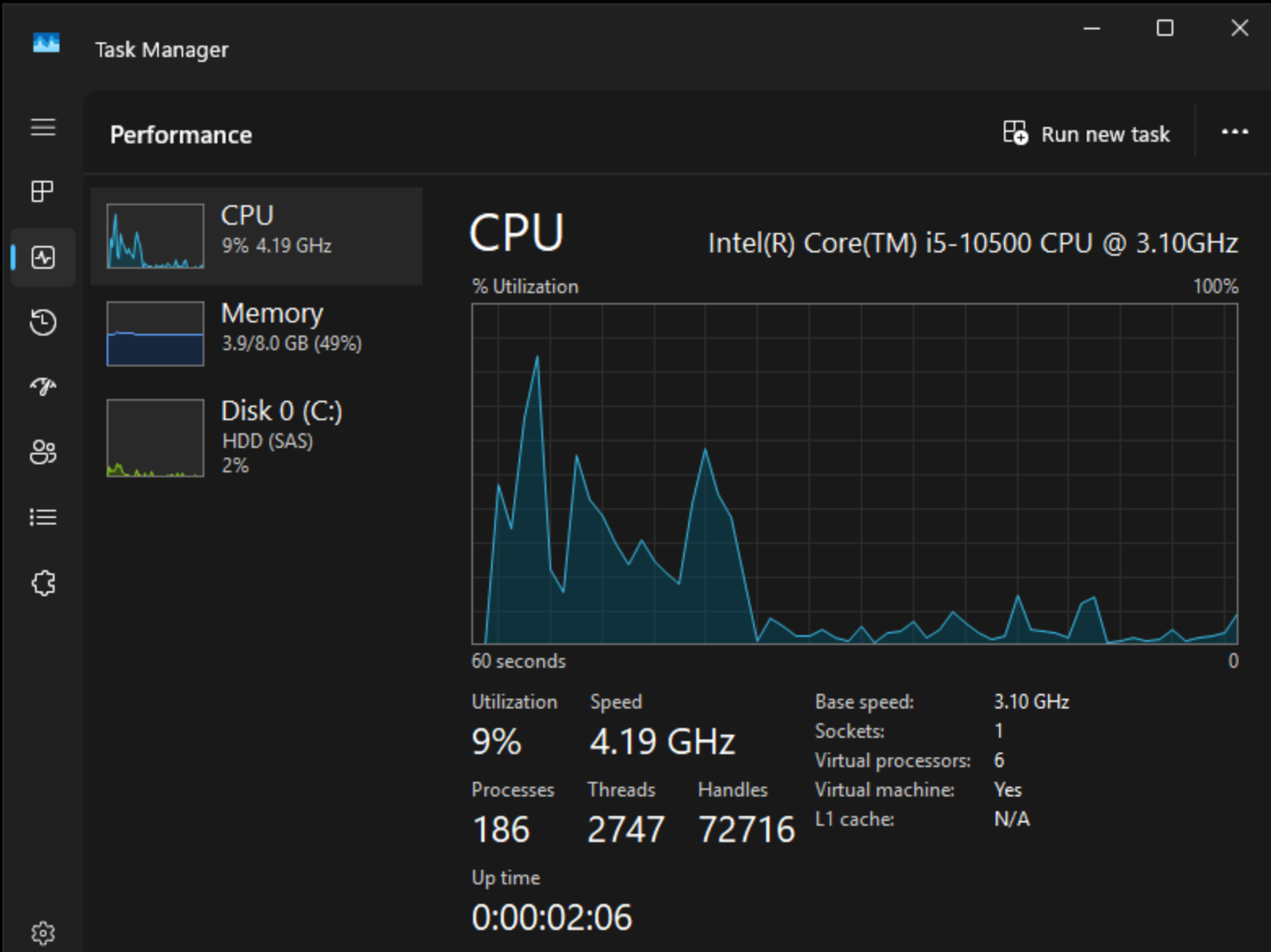
Before continuing, verify your system performance:
Press Ctrl + Shift + Esc → Go to the Performance tab
| ✅ Healthy System (Good Starting Point) | ||
|---|---|---|
| ||
| ❌ Resource-Constrained System (slow loading) | ||
|---|---|---|
| ||
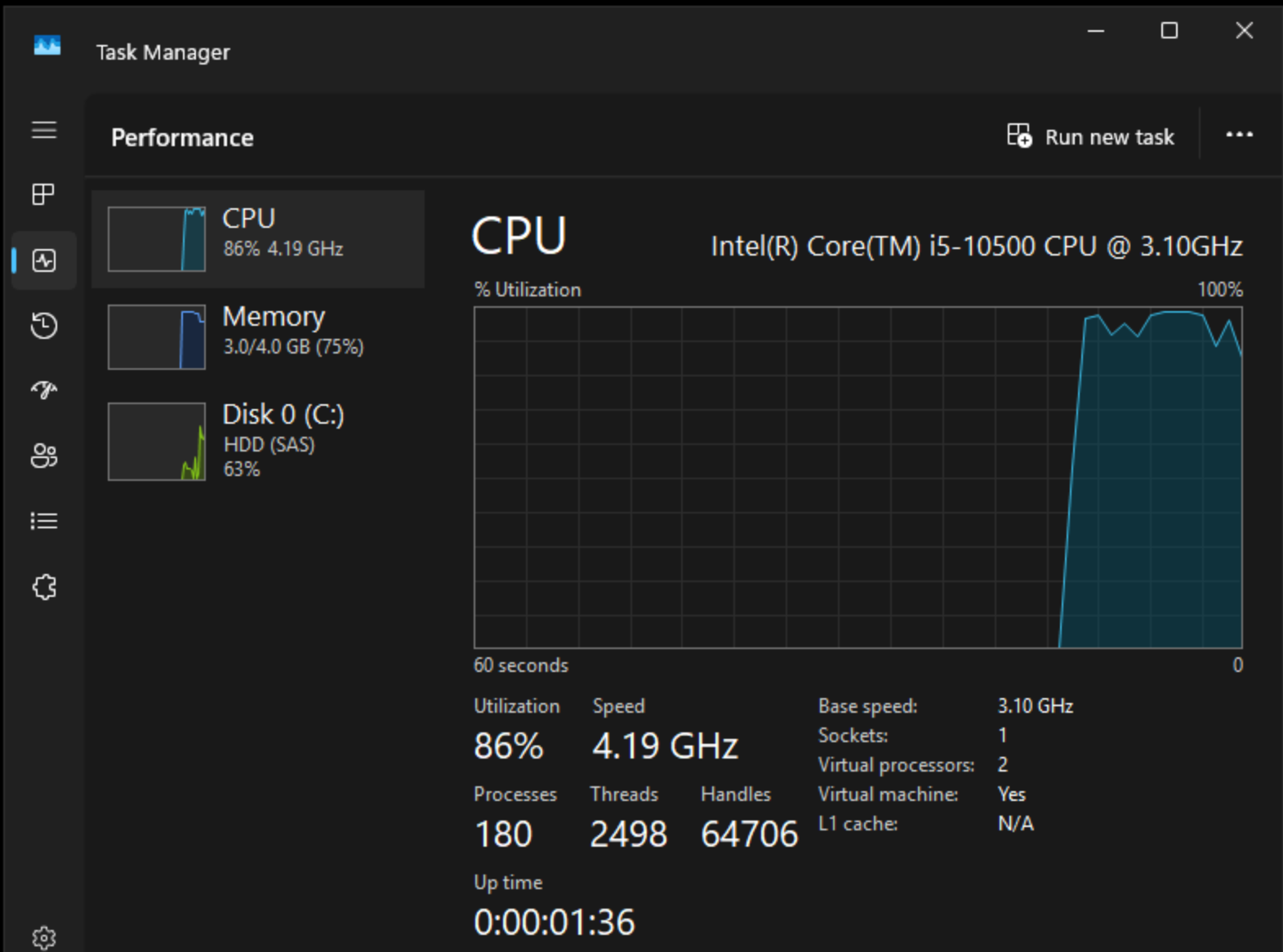 If your system looks like this example, close unused applications or restart your computer before testing again.
Step 1: Try a Private / Incognito Window
- Press Ctrl + Shift + N
- Open the page again and test
Result:
If the page performs better, the issue is likely caused by a browser extension.
Step 2: Test on Your Phone (Cellular Data)
- Turn WiFi OFF
- Use cellular data (5G/LTE)
- Open the same page
Result:
If it works on your phone, the issue is likely with your computer or network.
Step 3: Try a Different Browser (Recommended: Firefox)
Result:
If it works in Firefox, the issue is likely related to your original browser.
Step 4: Disable Browser Extensions
Temporarily disable extensions such as:
- AdBlock / uBlock Origin
- Privacy Badger / Ghostery
- NoScript
- VPN browser extensions
- Grammarly, Honey, or other toolbars
Quick Test (Recommended):
- Use Incognito mode (fastest)
- Or disable all extensions:
- chrome://extensions
- edge://extensions
Step 5: Clear Browser Cache
- Press Ctrl + Shift + Delete
- Clear cached images and files
Step 6: Disable VPN or Network Filtering
VPN Software
- NordVPN
- ExpressVPN
- Surfshark
- Proton VPN
- Cisco AnyConnect
- GlobalProtect (Palo Alto)
Security / Web Filtering Software
- Webroot SecureAnywhere
- Sophos Endpoint / Sophos Home
- ESET Internet Security
- Bitdefender
- Kaspersky
- Malwarebytes (Web Protection enabled)
Corporate / Enterprise Filtering Tools
- Zscaler
- Cisco Umbrella (OpenDNS)
- FortiClient VPN / Web Filter
- Check Point Endpoint Security
- Netskope
DNS / Ad Blocking (Network-Level)
- Pi-hole
- AdGuard (Desktop or DNS)
- NextDNS
- OpenDNS (home configurations)
Browser-Based VPN / Filtering Extensions
- NordVPN browser extension
- Hola VPN
- AdGuard Browser Extension
- Avast Online Security
- McAfee WebAdvisor
If you're unsure whether any of these are running, try testing from a different network (such as a mobile hotspot) to rule out filtering.
Step 7: Restart Your Computer
Still Having Issues?
Please provide the following:
- Browser name and version
- Whether it worked in a private window
- Results of the cellular test
- A screenshot of the issue