
 create new ticket
 check ticket status
Department Items encompass everything from Graphics to Finishing, applying Static Charges, Price Per Piece Charges or Hourly Charges, linked to supplies for depletions, and tracked with timers.
Settings > Dockets > Department Items
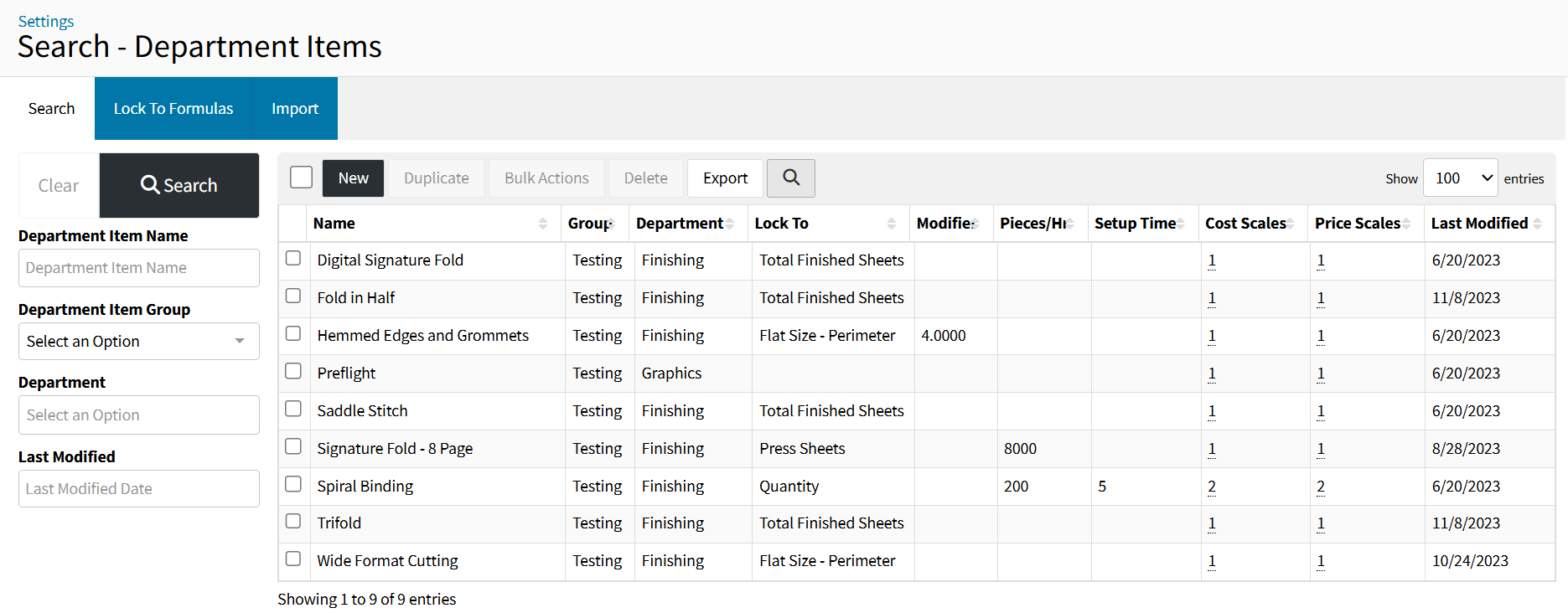
Search Filters Panel
Filter your Department Item List by the available fields to narrow down your Department Item List to a specific criteria to quickly access the Department Item you want to edit.
{New}
Begins the creation of a New Department Item.
Learn to Setup Department Items
Learn more about Department Items
{Duplicate}
Duplicates the selected Department Item(s), making it easier to setup another very similar Department Item.
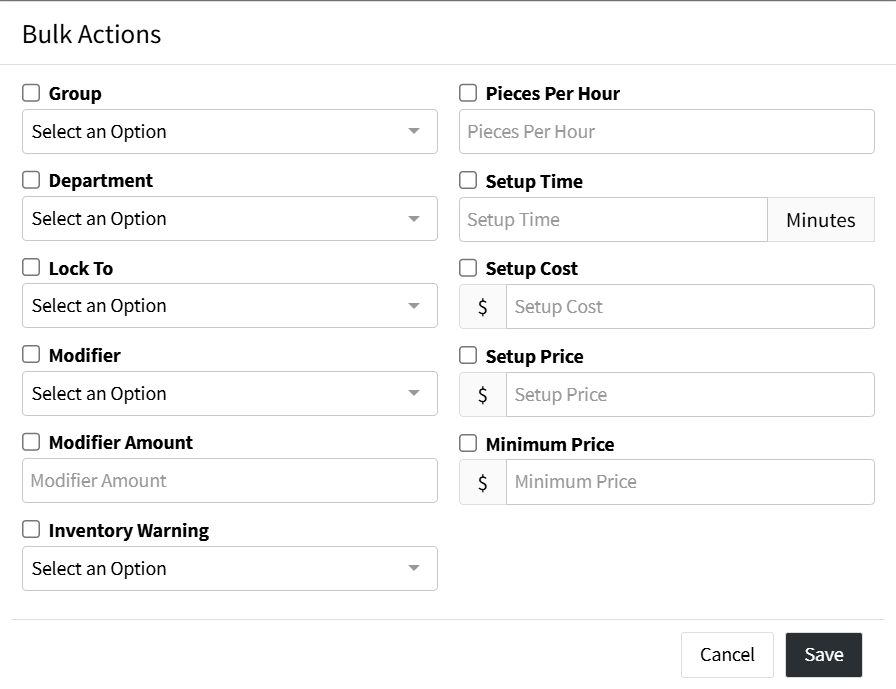
{Bulk Actions}
Quickly update information on one or more Selected Department Items without having to edit them individually or having to enter the Department Item at all.
{Delete}
Deletes the selected Department Item(s).
{Export}
Exports all Department Items as a CSV for convenient editing of configuration and pricing setups.
Learn more about Department Item Imports
{Toggle Search Filters Magnifying Glass}
Temporarily hides the Search Filters Panel, to expand the Department Item List View, until the page is refreshed.
Department Item Table
- Name - The Name of the Department Item, typically the name of the activity being performed or the charge that is being applied
- Group - The Department Item Group utilized to organize Department Items
- Department - Identifying where this Department Item charge will fall in the pricing table of a Quote/Order Item
- Lock To - The Lock To Function defining which field or set of fields the pricing locks to
- Modifier - Lock To Modifiers amount utilized to modify the Lock To Formula output by a defined multiple.
- Pieces/Hour - The number of Lock To Formula Quantity that can be completed in an hour
- Setup Time - The number of minutes it takes to setup
- Cost Scales - The number of Internal Cost Scales
- Price Scales - The number of Price Charge Scales
- Last Modified - The last date the Department Item was modified